Post & converse
Room to say it properly.
A composer that fits each kind of post, and threads that let a conversation branch out and stay legible as it grows.
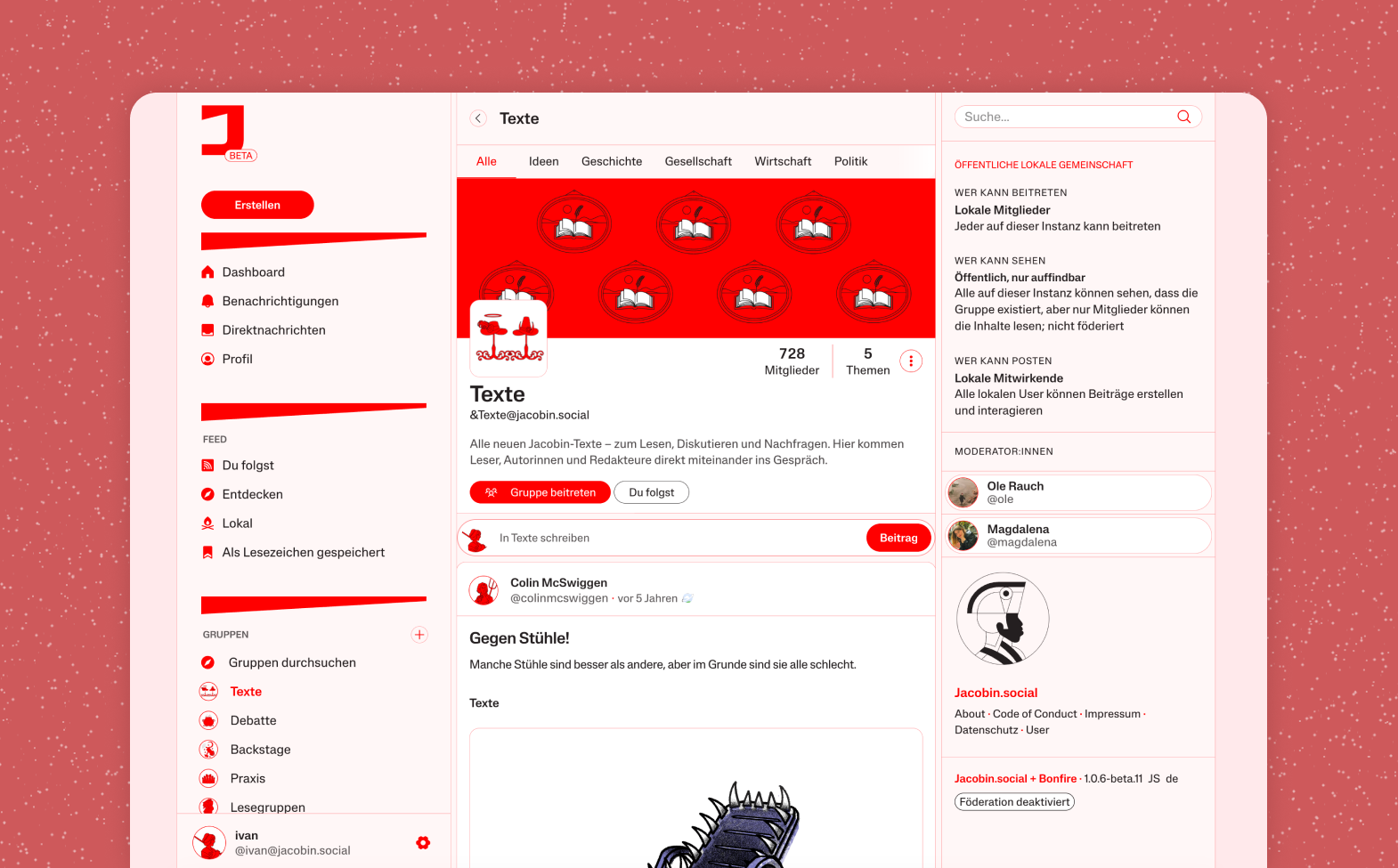
A powerful composer
Short updates or long-form posts. Add a title to start a thread, mention people, format your text, and share a quick thought or a full blog post.
Markdown friendly
Rich formatting, so you can emphasise a point and give your writing a structure.
Any media
Enrich posts with photos, video, audio, and other files.
Branching threads
Replies can branch into sub-threads, so you follow a discussion without losing the context it grew from.
Edit your posts
Made a typo, or want to add context? Edit after publishing instead of deleting and reposting.
Collaborate on posts
Some posts are better written together. Write with your peers, or simply invite a trusted friend to check your spelling.
Feeds & discovery
The feed is yours to build.
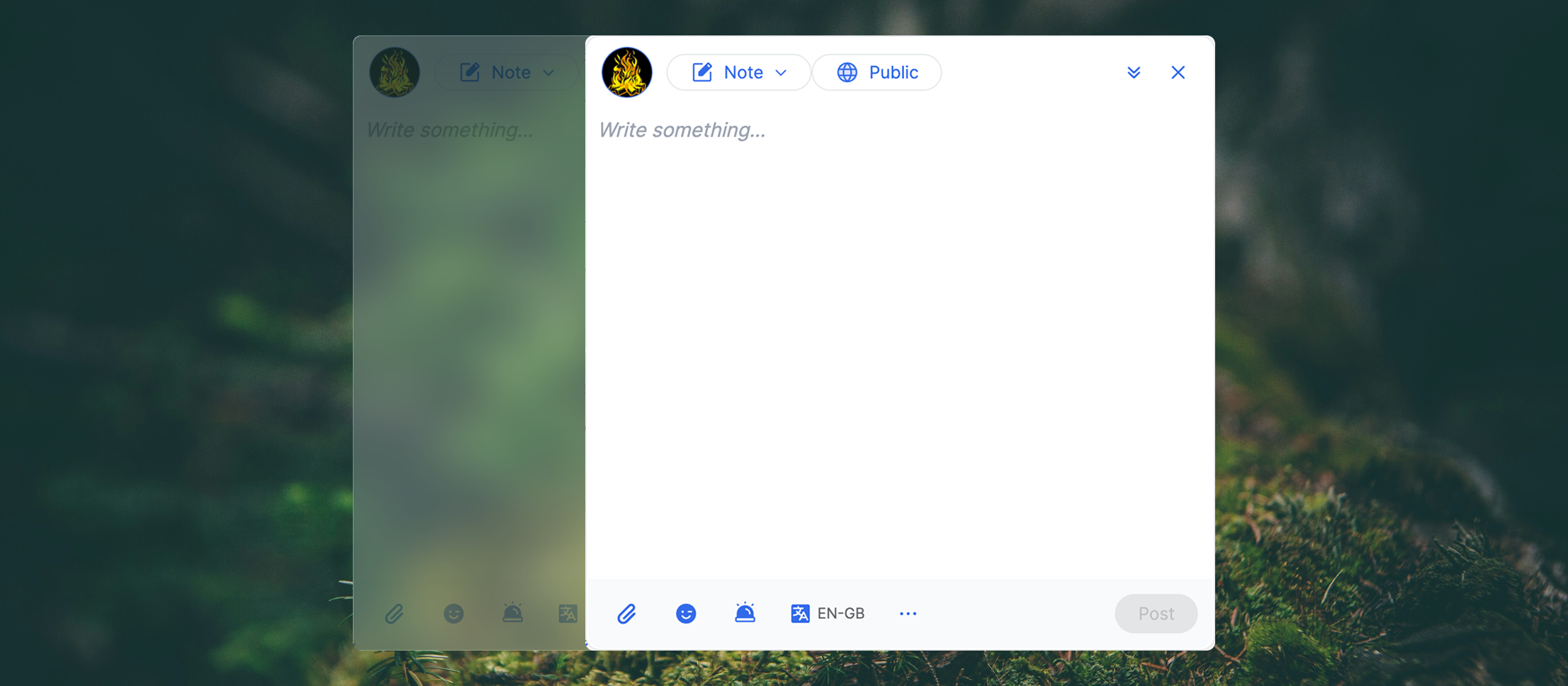
No mysterious algorithm ranking your people. You assemble the feeds you want, out of the filters that matter to you, and keep the ones that work.
Custom feeds
Build ad-hoc feeds with a simple interface: filter and sort by content type, circle, date, engagement, source instance, and more.
Saved presets
Keep the feeds you built, name them, and arrange them however you like.
Full-text search
Find people, posts, and everything else that has been indexed on your instance.
Hashtags & mentions
Tag what you post and reach the people you mean, across the whole network.
Topics
Curated categories to organise conversation, so a subject has a home instead of scrolling past.
Follow anyone
Follow people on any federated platform, at your own pace. Your network isn't limited to who else signed up here.
Circles & boundaries
Who sees what is your call.
Most networks give you one blunt switch: public, or not. Bonfire helps you foster your relationships, and lets every post carry its own rules.
How boundaries work, in the docs →Circles
Lists of people: "local friends", "the team", "mutual aid crew". Each circle has its own feed, and represents the many-sided relationships you really have.
Boundaries
Choose who can see, reply, quote, or even edit a post. Make it public but accept replies only from one circle, for instance.
Custom roles
Create roles and grant them to people or circles: what they can view, how they can interact, and anything else they may do.
Interoperable controls
Boundaries speak the same language as GoToSocial interaction controls and Mastodon quote authorisations, so they hold up off your instance too.
Direct messages
Private conversations, one to one or with a group.
Multiple profiles
Several separate profiles on one account: different personas, or your org and your project alongside you.
Shared profiles
Give an organisation or project its own profile, and share access with the rest of your team.
Safety & moderation
Hold the line, together.
Moderation burns people out when it lands on one pair of shoulders. These are tools for spreading the weight, and for refusing the designs that make a place hostile in the first place.
Read about the federated moderation toolkit project →Flag & review
Anyone can flag; moderators see a queue and can remove what doesn't belong.
Silence, ghost, or block
Turn someone down, make yourself invisible to them, or cut them off entirely, at the user level or the whole instance.
Shared blocklists
Lean on the work other communities have already done, rather than each of you meeting the same bad actor alone.
No dark patterns
Switch off follower counts, reaction counts, and infinite scroll. The things engineered to keep you hooked are optional here.
Govern, your way
Custom roles, shared profiles, and consent-based tools, so power is distributed the way your community actually decides things.
Defaults, not dictates
Admins set the defaults; every member can see exactly how the instance is configured, and override it for themselves.
Make it yours
Assembled from blocks, by you.
Bonfire is made of pluggable extensions all the way down. Even the core. Add what you need, fork what almost fits, drop what you don't want. No two communities end up with the same space.
Browse every extension →Extensions
Every piece of Bonfire is a composable building block. Users enable and disable them; admins install new ones, fork them, or write their own.
Themes
Change the look and feel: pick a theme, or make your own. No coding required.
Granular settings
Tune how the app behaves in detail, overriding the choices made by designers, developers, and even your instance admins.
Flavours
Start from a preset that's already close to what you need (social, community, coordination, open science), then adjust block by block.
Federated comments
Embed the Telling on any static site: readers reply from Bonfire, Mastodon, or any ActivityPub account.
Single sign-on
Speaks OpenID Connect and OAuth2 as both a client and a provider: members sign in with an account they already have, and your Bonfire can sign them in to your other apps.
Build your own
Documented libraries for accounts, boundaries, social, ActivityPub and economic flows. If it doesn't exist yet, you can write it.
Federation & reach
Open to the world, as far as you like.
Your space is yours to open wide or keep closed. You decide who's invited through the door.
Local & invite-only
Quiet and warm, a space just for your people. Nobody joins your bonfire unless you say so.
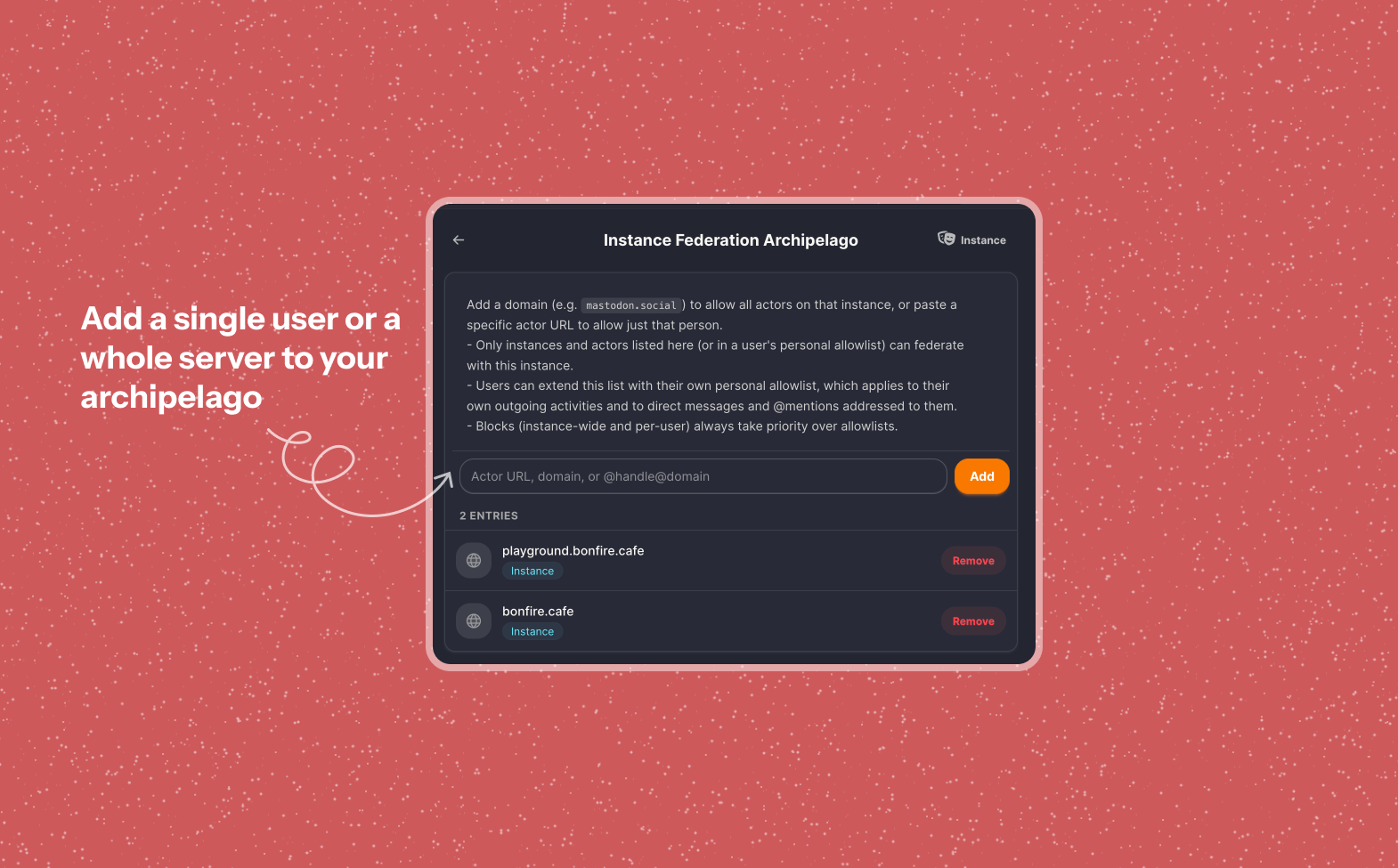
Archipelago mode
Federate only with allies and communities you trust, and form a private interconnected network together.
Fully federated
ActivityPub, so you can follow and be followed across Mastodon, PeerTube, Mobilizon, and every other Bonfire.
Bridges beyond
Protocol bridges reach Bluesky and the wider ATmosphere, so nobody is left out.
Your data
Nothing here is holding you hostage.
A space can't be turned against its people when everyone is free to leave with everything. Moving instances shouldn't mean starting from scratch, so it doesn't.
Import everything
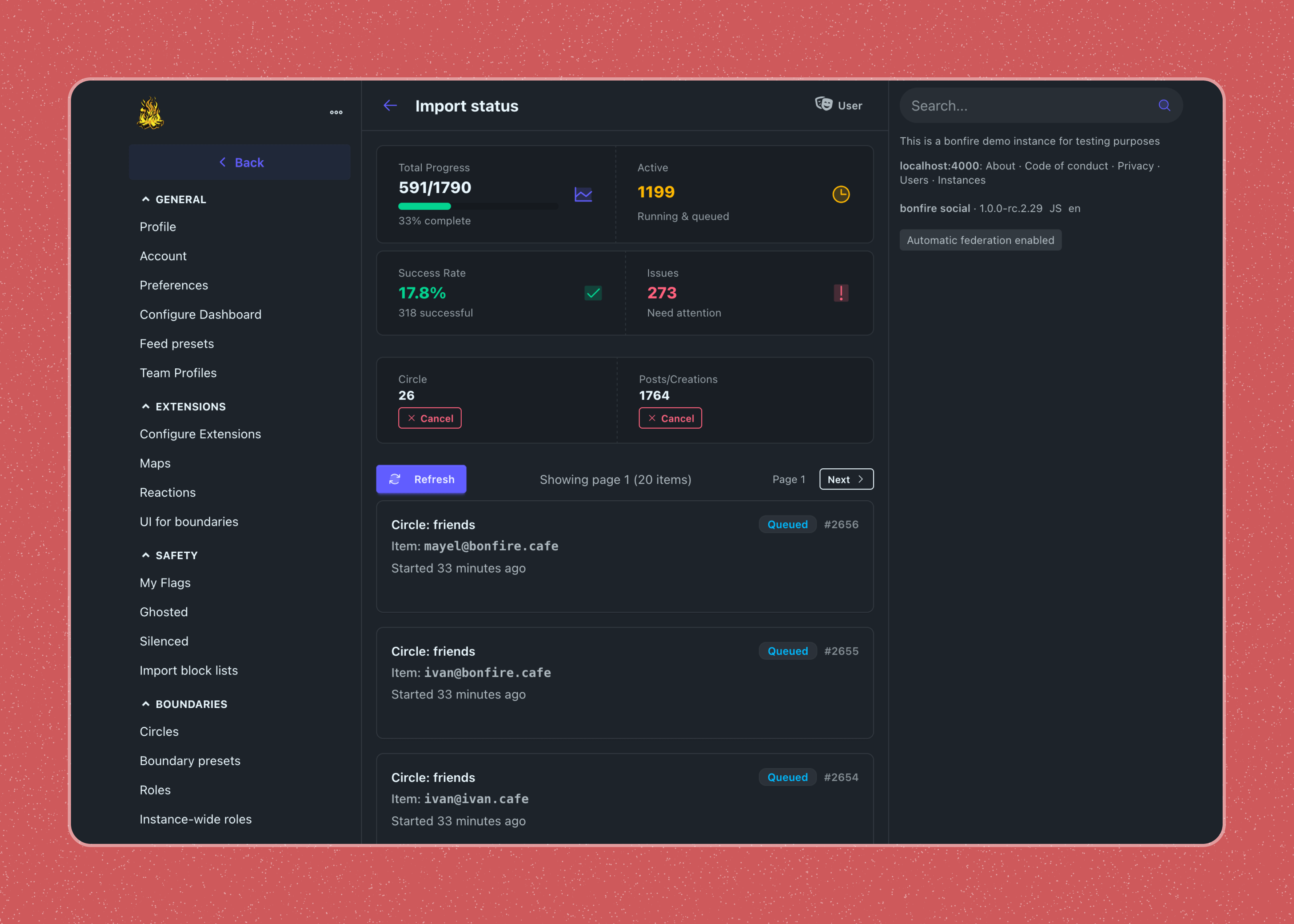
Bring your account, your follows, and even your past posts from another instance, whether it runs Bonfire, Mastodon, or another fediverse app. Most tools can't move your posts across; this one can.
Export everything
Posts, relationships, settings, all of it. Your data belongs to you and you are not locked into any app or instance.
Identify migration
Move your profile to a new home and stay yourself: your followers are redirected, your old address points to the new one, and your identity carries across intact.
AGPL, super-forkable
No VC, no ads, nothing to sell. If we ever go bad, the code is already yours to take.
Beyond the microblog
Blocks for what your community does.
Talking is only the start. These blocks create a collaborative place where things get organised, decided, made, and kept. Several are still being built. We'd rather say so than pretend.
See what communities assembled →Groups
Groups with their own membership, visibility settings and governance. Local-only for now, while federation is designed in the open with the SWICG task force.
Events
Organise a gathering, and let people know they're coming.
Decisions & consensus
More than a quick poll: run proposals, structured consensus, and weighted score voting, so a group picks the lightest process that fits the decision.
Community rules
Shared expectations for an instance or a group, so newcomers know the space they're entering and moderators have something concrete to point to.
Announcements
Broadcast to every member: a call to action, an urgent update, or a downtime warning lands in notifications and as a push, rather than hoping it surfaces in the feed.
Tasks & Kanban
To-do lists and boards that work across instances, so coordinating doesn't mean leaving.
Mutual aid
Needs and offers, on a calendar and a map, for communities who look after each other.
Open science
Scholarly identity, citable objects with DOIs, and repository connectors for research networks.
Economic flows
Inventories, offers and needs, and marketplaces, all built on the ValueFlows open economic vocabulary.
Places
Put activities on a map, for neighbourhoods and anything else that happens somewhere.
GraphQL API
Build your own clients and integrations on top of your instance.
Mastodon API
Interact with your instance using the familiar Mastodon API.